01
A first cut. In a moment.
Auto Edit chooses usable ranges and builds a first sequence. You keep the final say.
 Orbit EditingSign In
Intelligent video editing. Cinematic results.
Less effort.
Available for macOS and Windows · Free to start
Private preview · Public installers are awaiting verification.
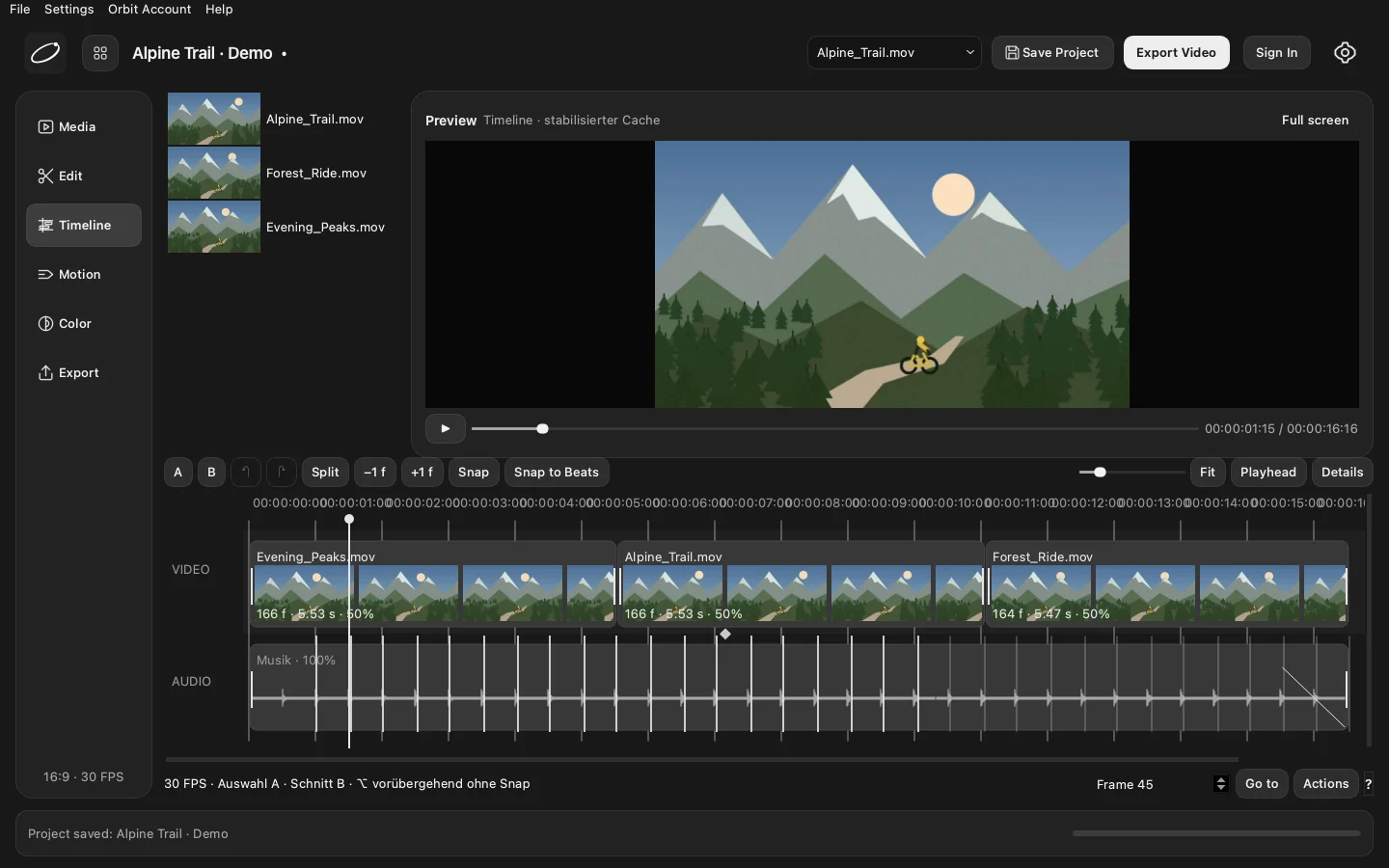
Actual Orbit Editing interface · Generated test footage · Your projects stay on your device.
Bring your clips and your soundtrack.
Orbit Editing helps you find the edit in between.
Auto Edit chooses usable ranges and builds a first sequence. You keep the final say.
Analyze your music, see the waveform and align edits to detected beats.
Move, trim and split clips on an interactive 30 FPS timeline. Keep music independent.
Choose your tracking point and range. Natural stabilization follows the shot you intended.
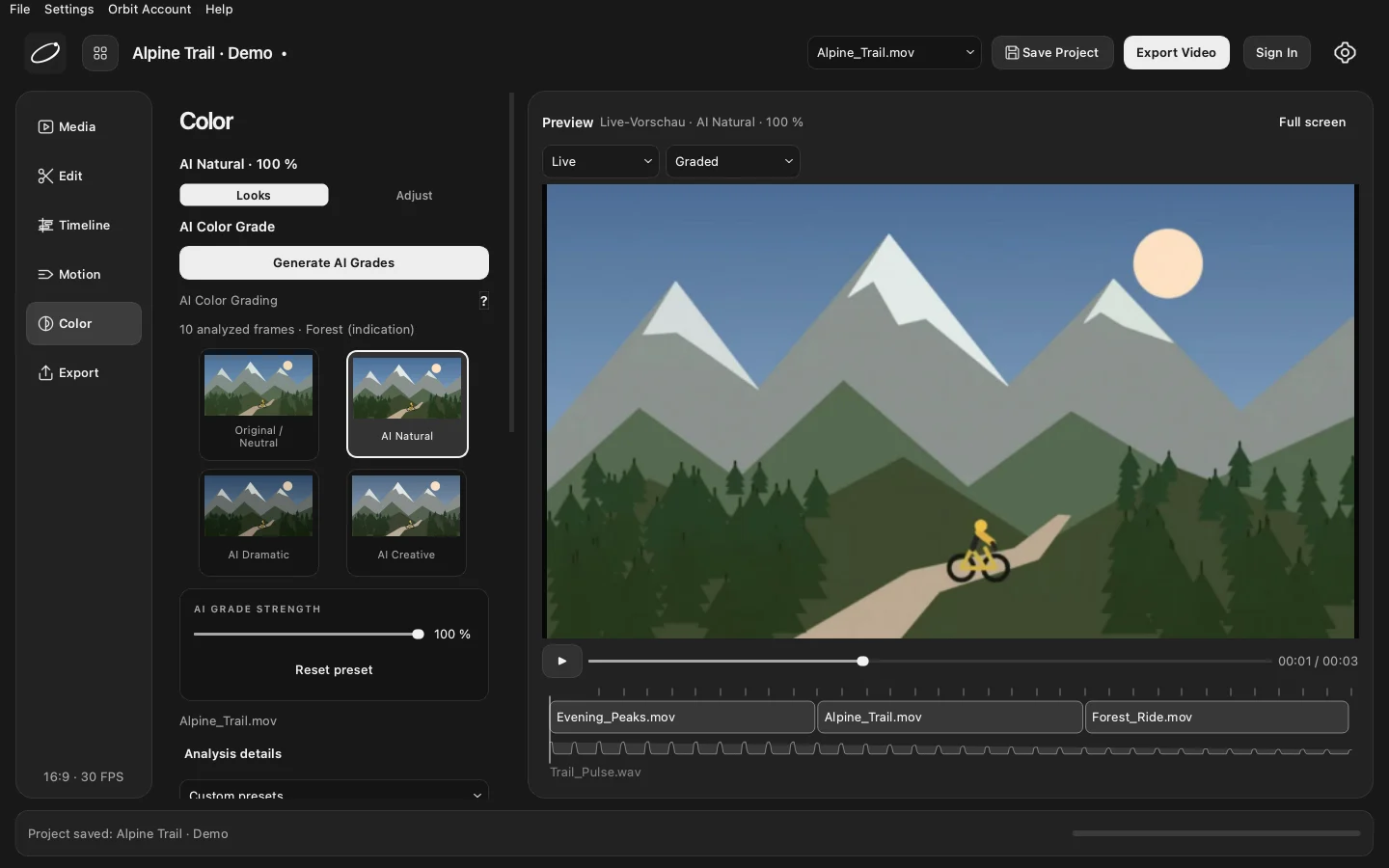
Normalize supported Log footage, choose a look and refine exposure, contrast and saturation.
Pro adds local multi-frame color analysis and three adaptive looks. No cloud media upload.
From a clean natural grade to a darker cinematic finish. Fine-tune your colors on the current preview frame, then export from your original footage.
One app for both plans. Upgrade without reinstalling.
Your next cinematic edit starts here.
For the edits you can’t stop making.
Pro reverts to Free when the paid period ends. Local projects and saved color settings stay intact. New AI analysis requires Pro; existing saved grades remain editable and renderable.
Local editing. Original files protected.
An account is required for authorized exports.
macOS 13 or later. Apple Silicon. 16 GB RAM recommended. Internal development build 0.16.0; commercial installer verification pending.
Windows 11 x64. 16 GB RAM recommended. GPU acceleration uses supported hardware with a CPU fallback. Native release validation pending.
Edit locally with the timeline, Auto Edit, beat detection, tracking and manual color controls. Your shared Free account includes three successful video exports per UTC calendar month.
No. Video editing, tracking and color analysis run locally. Accounts and subscription services receive account and license data, not your footage.
Yes. Both desktop platforms use the same account and server-managed Free export quota.
Cancel for the next billing date through the customer portal. Pro stays active for the paid period, then returns to Free. Your local projects and saved grades remain intact.
You can open and edit local projects offline. This first licensing version needs an internet connection to authorize new exports and new AI analysis.
Not yet. The download flow shows the actual release status. Installers are enabled only after the account-enabled builds, signatures and platform checks are verified.